
Hosting a virtual baby shower games doesn’t mean sacrificing the fun and memorable moments that games bring to the celebration. In fact, with the right approach, online baby shower games can be just as engaging—sometimes even more so—than their in-person counterparts!
As someone who’s planned dozens of successful virtual baby showers, I’ve compiled this comprehensive guide to help you host games that will have your guests laughing, bonding, and creating special memories for the parents-to-be, all from the comfort of their own homes.
Whether you’re a first-time host feeling overwhelmed by the virtual format or you’re looking to level up your virtual baby shower game collection, you’ll find everything you need here. From quick icebreakers to sentimental keepsakes, tech-friendly adaptations of classics to modern digital games—complete with step-by-step instructions, free printables, and pro tips for seamless execution.
Table of Contents
Icebreakers & Get-to-Know-You Games
Starting your virtual baby shower with icebreakers helps guests feel comfortable and creates a welcoming atmosphere, especially when attendees might not know each other well.
Virtual Baby Shower Bingo

Description: A virtual twist on the classic game that gets everyone engaged from the start.
Why it Works Virtually: It’s easy to implement through screen sharing and keeps guests attentive throughout the event.
How to Play Virtually:
- Prep Needed: Create customized bingo cards featuring baby items, likely gifts, or things people might say during the shower.
- Materials Needed: Digital bingo cards (shared in advance), screen sharing capability.
- Step-by-Step Instructions:
- Email unique bingo cards to each guest before the event.
- At the beginning of the shower, explain the rules: guests mark their cards when they see items being opened or hear certain phrases.
- The first person to get 5 in a row (horizontally, vertically, or diagonally) types “BINGO” in the chat.
- Verify their card by having them share their screen or send a photo.
Tips for Success: Consider playing multiple rounds with different winning patterns (X-shape, full card, four corners). Have a digital gift card ready as a prize!
Baby Shower Scavenger Hunt

Description: Guests race to find baby-related items in their own homes.
Why it Works Virtually: Creates movement and energy while utilizing the home environment of each participant.
How to Play Virtually:
- Prep Needed: Create a list of common baby or household items.
- Materials Needed: List of items to find, timer.
- Step-by-Step Instructions:
- Prepare a list of 8-10 items such as “something yellow,” “a baby photo of yourself,” or “something soft.”
- Share the list via screen share or in the chat.
- Give guests 2-5 minutes to gather as many items as possible.
- When time’s up, have each guest show and explain their findings.
- Award points for each correct item; the person with the most points wins.
Tips for Success: Keep the list reasonable—mix easy and challenging items. Consider theme-based variations like “nursery items” or “baby animals.”
Two Truths and a Lie: Baby Edition

Description: A baby-themed version of the classic icebreaker game.
Why it Works Virtually: Easy to play without special materials and helps guests learn fun facts about each other.
How to Play Virtually:
- Prep Needed: Ask guests to prepare three statements about babies, parenting, or themselves as children.
- Materials Needed: Chat feature for voting.
- Step-by-Step Instructions:
- Each participant shares three statements: two true and one false.
- Other guests vote in the chat on which statement they think is the lie.
- The player reveals the lie, and guests who guessed correctly earn a point.
Tips for Success: Encourage creative, surprising statements! The host should prepare examples to demonstrate and get things started.
Classic Baby Shower Games (Adapted for Virtual)
Traditional shower games can work wonderfully online with just a few tweaks. Here’s how to adapt the classics:
Guess the Baby Food

Description: Contestants try to identify baby food flavors by appearance alone.
Why it Works Virtually: The reactions and guesses create plenty of laughs without needing to taste anything!
How to Play Virtually:
- Prep Needed: Purchase 5-8 different baby foods and remove the labels. Number each container.
- Materials Needed: Baby food jars, numbered labels, answer submission method.
- Step-by-Step Instructions:
- The host shows each unnumbered baby food jar on camera.
- Guests submit their guesses for each jar via private chat or a shared Google Form.
- After all guesses are submitted, reveal the correct flavors.
- The guest with the most correct guesses wins.
Tips for Success: Choose visually similar foods to make it challenging! Use a close-up camera view or take high-quality photos in advance to share.
Don’t Say “Baby” Challenge

Description: Guests try to avoid saying the word “baby” throughout the shower.
Why it Works Virtually: Simple to implement and creates ongoing engagement.
How to Play Virtually:
- Prep Needed: Virtual clothespin alternatives (digital images or points system).
- Materials Needed: Chat monitoring, points tracking system.
- Step-by-Step Instructions:
- At the beginning of the shower, explain that saying “baby” is forbidden.
- When someone says “baby,” other guests can call them out in the chat.
- The host keeps track of “slips” for each person.
- The person with the fewest slips by the end wins.
Tips for Success: Designate a co-host to monitor for the word. Periodically bring up topics likely to trigger the word “baby” to make it more challenging!
Baby Items Price is Right
Description: Test guests’ knowledge of baby item costs.
Why it Works Virtually: Easy to display items and collect guesses online.
How to Play Virtually:
- Prep Needed: Images of 8-10 baby items with their retail prices.
- Materials Needed: Digital slideshow, method for collecting guesses.
- Step-by-Step Instructions:
- Create a presentation showing one baby item per slide (without the price).
- Share your screen and give guests 30 seconds to submit their price guess via chat or a shared spreadsheet.
- Reveal the actual price and calculate who was closest without going over.
- Award points for each round.
Tips for Success: Include a mix of obvious items (diapers) and surprising ones (specialized baby gear). Consider sharing a spreadsheet where everyone can see all guesses for added fun.
Unique & Modern Online Games
These games are specifically designed for the virtual format and take advantage of digital tools.
Virtual Baby Shower Pictionary
Description: Draw and guess baby-related words and phrases.
Why it Works Virtually: Uses online whiteboard features for a fun, interactive experience.
How to Play Virtually:
- Prep Needed: Create a list of baby-related words and phrases.
- Materials Needed: Virtual whiteboard (Zoom whiteboard, Skribbl.io, or similar platform).
- Step-by-Step Instructions:
- Divide guests into two teams.
- Send a private message to the designated drawer with their word/phrase.
- Set a timer for 60 seconds for them to draw while their team guesses.
- Teams earn points for correct guesses within the time limit.
Tips for Success: Test your platform’s whiteboard feature beforehand. Have a backup like screen sharing with Paint or a similar drawing program.
Baby’s First Photos Prediction
Description: Guests create digital collages predicting what the baby will look like.
Why it Works Virtually: Leverages online tools and creates shareable keepsakes.
How to Play Virtually:
- Prep Needed: Ask parents-to-be for permission and to share their childhood photos.
- Materials Needed: Photos of both parents, access to a simple photo editing tool or app.
- Step-by-Step Instructions:
- Email photos of both parents to guests before the shower.
- Guests use simple tools like Canva, PicMonkey, or even PowerPoint to create their “baby prediction.”
- During the shower, each guest shares their screen to present their creation.
- Parents-to-be vote on their favorite prediction.
Tips for Success: Send links to free, easy-to-use editing tools in your invitation. Suggest alternatives like drawing by hand and taking a photo for less tech-savvy guests.
Virtual Baby Name Race
Description: Teams compete to create the most names from letters in a phrase.
Why it Works Virtually: Easy to implement with breakout rooms and encourages collaboration.
How to Play Virtually:
- Prep Needed: Choose a phrase related to the baby or parents.
- Materials Needed: Breakout rooms, timer, shared document for submissions.
- Step-by-Step Instructions:
- Create a phrase like “WELCOME BABY JOHNSON” or the parents’ full names.
- Divide guests into teams using breakout rooms.
- Teams have 5 minutes to create as many baby names as possible using only the letters in the phrase (each letter can only be used as many times as it appears).
- Return to the main room and count valid names.
Tips for Success: Create teams with a balance of creative people. Consider giving bonus points for names the parents are actually considering!
Printable/Downloadable Games (Played via Screen Share/Email)
These games use printable elements that can be shared digitally and played together online.
Baby Shower Word Scramble
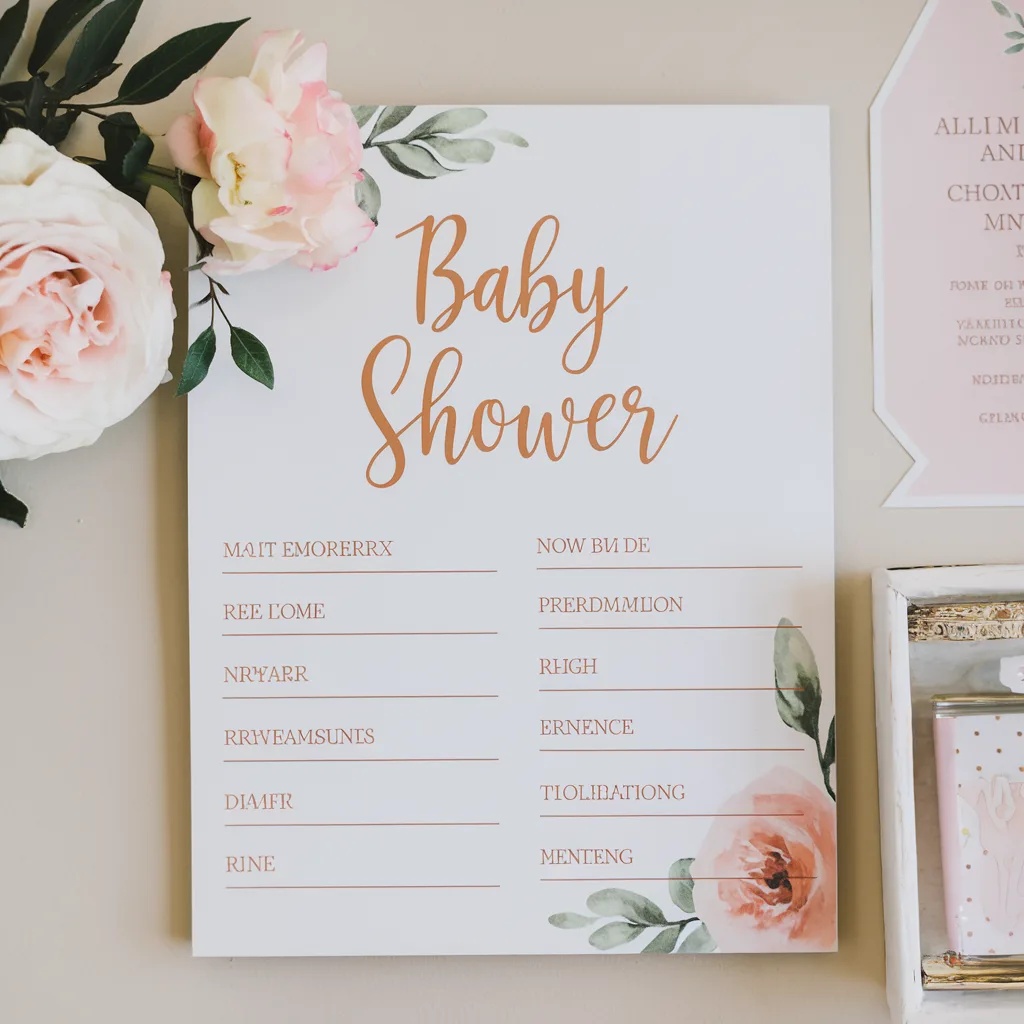
Description: Unscramble baby-related words against the clock.
Why it Works Virtually: Easy to distribute and time remotely.
How to Play Virtually:
- Prep Needed: Create a list of 15-20 scrambled baby-related words.
- Materials Needed: Downloadable word scramble sheet, timer.
- Step-by-Step Instructions:
- Email the word scramble sheet to guests before the event.
- During the shower, set a 3-minute timer visible on screen.
- Guests unscramble as many words as possible before time runs out.
- Go through answers together, with guests self-scoring.
Tips for Success: Include a variety of difficulty levels. Create a shared spreadsheet where guests can enter their scores for everyone to see.
Virtual Baby Shower Trivia
Description: Test guests’ knowledge about the parents-to-be and baby facts.
Why it Works Virtually: Interactive and customizable for the specific couple.
How to Play Virtually:
- Prep Needed: Create 15-20 questions about the parents, pregnancy, and general baby facts.
- Materials Needed: Digital trivia sheet or online quiz platform (Kahoot, Quizizz).
- Step-by-Step Instructions:
- Build your quiz on a platform that allows real-time participation.
- Share the link or access code with guests during the shower.
- Play together, with results displayed instantly.
- Award a prize to the winner.
Tips for Success: Mix personal questions (“Where did the parents first meet?”) with general baby facts. Test your quiz platform in advance to ensure it works smoothly.
Baby Item Memory Game
Description: Test guests’ observation and memory skills with baby items.
Why it Works Virtually: Simple concept that works well with screen sharing.
How to Play Virtually:
- Prep Needed: Gather 15-20 baby items arranged on a tray.
- Materials Needed: Baby items, tray, camera, timer, answer submission method.
- Step-by-Step Instructions:
- Show guests the tray of items via screen share for 60 seconds.
- Remove the image and ask guests to write down all items they remember.
- After 2 minutes, have guests self-report their number of correct items.
- Show the tray again to verify answers.
Tips for Success: Include some unusual items along with the obvious ones. Consider a themed tray (bathtime, feeding, etc.) for a twist.
Quick & Simple Games (5-10 mins)
Perfect for keeping energy high or filling gaps between longer activities.
Emoji Baby Song Translation
Description: Decode baby-related songs represented only by emojis.
Why it Works Virtually: Visual, fun, and easy to implement with any video platform.
How to Play Virtually:
- Prep Needed: Create 10-15 emoji sequences representing baby songs or lullabies.
- Materials Needed: Slideshow with emoji sequences, chat feature for answers.
- Step-by-Step Instructions:
- Show one emoji sequence at a time (e.g., 🌟🌟🤔 for “Twinkle Twinkle Little Star”).
- Guests type their guesses in the chat.
- First correct answer gets a point.
Tips for Success: Include a mix of obvious songs and trickier ones. Consider having guests sing a line of the song once it’s guessed!
Baby Bump or Food Baby?
Description: Guests guess whether photos show actual pregnant bellies or food bellies.
Why it Works Virtually: Visual and humorous content works well on screen.
How to Play Virtually:
- Prep Needed: Collect 10-15 photos showing either pregnant women or people with “food babies.”
- Materials Needed: Digital slideshow, voting method.
- Step-by-Step Instructions:
- Display one image at a time.
- Guests vote “baby bump” or “food baby” via chat or reaction emojis.
- Reveal the correct answer after each round.
Tips for Success: Use images where it’s genuinely difficult to tell! Ask friends for funny food baby photos to make it more personal.
Nursery Rhyme Completion Challenge
Description: Guests complete the missing lines from popular nursery rhymes.
Why it Works Virtually: Quick, nostalgic, and requires no special materials.
How to Play Virtually:
- Prep Needed: List of nursery rhymes with key lines removed.
- Materials Needed: Chat feature for answers.
- Step-by-Step Instructions:
- Share the beginning of a nursery rhyme via screen or chat.
- Guests race to type the next line correctly in the chat.
- Award a point to the first correct response.
Tips for Success: Include some obscure rhymes along with well-known ones. Consider asking guests to recite the full rhyme for bonus points!
Sentimental & Keepsake Games
These activities create meaningful mementos for the parents-to-be.
Virtual Time Capsule
Description: Create a digital time capsule for the baby to open years later.
Why it Works Virtually: Leverages digital submission and creates a lasting keepsake.
How to Play Virtually:
- Prep Needed: Create a list of prompts for time capsule contributions.
- Materials Needed: Digital collection method (Google Form, email, shared document).
- Step-by-Step Instructions:
- Before the shower, send guests prompts like “Predictions for baby’s future,” “Message to baby,” “Current events,” etc.
- During the shower, guests share their contributions.
- Compile all submissions into a digital keepsake or printable book for the parents.
Tips for Success: Suggest specific formats like “Letter to baby on their 18th birthday” or “Predictions for baby’s first words.” Offer to print the digital submissions into a physical book.
Advice for the Parents Video Montage
Description: Collect video advice from guests for a heartfelt keepsake.
Why it Works Virtually: Creates a personalized video collection that can be treasured.
How to Play Virtually:
- Prep Needed: Request video submissions before the shower.
- Materials Needed: Video editing software or app, method to collect videos.
- Step-by-Step Instructions:
- Ask guests to record 30-second videos with parenting advice or wishes.
- Compile submissions into a single montage.
- Screen share the final video during the shower.
- Send the video file to the parents-to-be afterward.
Tips for Success: Provide specific prompts like “Share your best sleep trick” or “What do you wish someone had told you about parenting?” Send gentle reminders as the deadline approaches.
Virtual Baby Shower Wishes Wall
Description: Create a collaborative digital message board for the baby.
Why it Works Virtually: Interactive during the event and becomes a permanent keepsake.
How to Play Virtually:
- Prep Needed: Set up a digital collaboration space.
- Materials Needed: Platform like Padlet, Jamboard, or Miro.
- Step-by-Step Instructions:
- Create a digital board with space for each guest to add their message.
- Share the link during the shower.
- Guests add personal messages, advice, predictions, or images.
- Screen share the completed board and save it for the parents.
Tips for Success: Provide templates or prompts to inspire thoughtful messages. Suggest including photos of the guests to make it more personal.
Tips for Hosting Engaging Virtual Games
To ensure your virtual baby shower games run smoothly:
- Test Technology in Advance: Run through each game’s technical requirements before the big day.
- Consider Attention Spans: Virtual events can feel longer, so keep individual games under 15 minutes.
- Designate a Co-Host: Have someone help manage technical aspects while you focus on facilitating.
- Plan for All Tech Levels: Include options for guests who may be less tech-savvy.
- Create a Schedule: Share an agenda so guests know what to expect.
- Mix Game Types: Balance competitive games with collaborative and sentimental activities.
Recommended Platforms for Virtual Showers
PlatformProsConsBest ForZoomBreakout rooms, robust features, familiar to many40-min limit on free versionLarger showers, multiple gamesGoogle MeetFree, no time limit, easy accessFewer interactive featuresSimple, straightforward showersWebExHigh-quality video, good securityLearning curve for new usersTech-savvy groupsMicrosoft TeamsGood integration with other toolsRequires accounts for best experienceWork-related groups
Virtual Prize Ideas
Make winning special with these digital prize options:
- E-gift cards to popular retailers
- Digital subscription (streaming service, magazine, etc.)
- Online class or experience voucher
- Donation to a charity in the winner’s name
- Custom digital artwork or photo edit
- Priority for holding the baby at the first in-person meeting
Conclusion
Virtual baby showers can be just as memorable and engaging as traditional ones when you incorporate the right mix of games. With this comprehensive collection of 35+ virtual baby shower games, you’re equipped to host an unforgettable celebration that brings friends and family together despite the distance.
Remember that the most important element is creating moments of connection and joy for the parents-to-be. Whether you choose classic games adapted for the digital world or innovative online activities, your thoughtful planning will result in a celebration that everyone will cherish.